
Azure Resiliency Agent for data platforms (3/3): resilience as code in the terminal

In part 2 the agent found the gaps in my data platform from the Azure portal. Tom liked the findings. He did not like the idea of fixing anything in the portal.
"If it is not in a pull request, it did not happen," he said. Our platform lives in Terraform, every change goes through review and the pipeline.
So I gave the agent what Tom would give it: the Terraform folder, in a terminal, with GitHub Copilot CLI.
- The Azure Resiliency Agent plugin for GitHub Copilot CLI reviews and corrects Terraform. It is a limited preview.
- It asks before it shares each file and before it sends the request. Shell access can stay blocked.
- Three runs with the same prompt and the same files gave three different sets of findings.
- The final diff was four clean lines.
terraform planturned them into 8 resources to destroy, including the data lake. - Convert storage first, then change the code. And put
prevent_destroyon your lake. - A single question cost 10 AI Credits. Long tool calls cost more, because the prompt cache expires while you wait.
- What it is and where it stops
- Tested on a fragile data platform
- Resilience as code in the terminal (this post)
Terms used in this post
- LRS, ZRS: locally redundant storage keeps three copies in one datacenter. Zone-redundant storage spreads them across three availability zones.
- HNS: hierarchical namespace, the setting
is_hns_enabledthat turns a storage account into Azure Data Lake Storage Gen2. - FC1: the SKU name of the Azure Functions Flex Consumption plan.
- Always-ready instances: Flex Consumption instances that keep running even without load.
- MCP: Model Context Protocol, a standard way for an AI assistant to call external tools. The plugin runs an Azure MCP server on your machine.
- KB: knowledge base. The hosted agent cites it for its decisions. Its progress log shows it consults Microsoft Learn.
- Attachment ID: the reference to a file you approved for sharing. The file is sent only when a request uses this ID.
- Data boundary: the geography where Microsoft processes your request, based on your default Azure tenant.
- AI Credits (AIC): the usage unit that GitHub Copilot CLI shows per session.
- Prompt cache: the model provider keeps the start of a conversation for a short time, so repeated context is cheaper.
Why the terminal
The plugin works in GitHub Copilot in VS Code and in GitHub Copilot CLI. Microsoft Learn already shows the VS Code flow step by step, with animations. The terminal is closer to how a platform team works anyway: scripts, pipelines, and flags that decide what an agent may do.
The plugin connects to the same hosted agent as the portal, but with a focused set of capabilities:
| Supported in the plugin | Not supported in the plugin |
|---|---|
| Resiliency guidance and questions | Changes to deployed resources |
| Assessment of a described architecture or local files | Service groups and goals |
| New Bicep, ARM JSON or Terraform | Backup |
| Review and correction of existing IaC | Drills and recovery plans |
That fits Tom's rule. The plugin can change files, not Azure resources.
Setup
You need Node.js 22 or later, the latest GitHub Copilot CLI and an Azure sign-in, for example with az login. Only the Azure public cloud is supported.
Install the plugin from the Awesome Copilot marketplace and check it:
copilot plugin install azure-resiliency-agent@awesome-copilot
copilot plugin list
Learn says to start the CLI with the agent selected:
copilot --agent azure-resiliency-agent:azure-resiliency
In interactive mode this failed for me with "Custom agent ... not found". The CLI looks up the agent before the plugin is loaded. Starting the CLI without the flag and selecting AzureResiliencyAgent in the /agent menu works.
I started it like this:
copilot --deny-tool shell
--deny-tool shell blocks every shell command. The agent can read files and propose edits, but it cannot run anything.
That mattered later. When the agent wanted to search with grep in a shell, the CLI blocked it, and it switched to the built-in search tool.
I first ran the review with copilot -p "<prompt>". The file approvals need an answer, and in non-interactive mode there is nobody to give one. The CLI cancelled them, nothing was reviewed, and the run still cost 10.89 AI Credits.
Network and tenant
If your organization restricts outbound traffic, the plugin needs outbound HTTPS on port 443 to four hosts:
- your npm registry, normally
registry.npmjs.org, to download the Azure MCP server login.microsoftonline.comfor Microsoft Entra IDmanagement.azure.comto find the data boundary of your default tenantagent.public.resiliencemanagement.azure.com, the hosted agent itself
The last one is new for most firewall teams. Ask early.
The default Azure tenant decides the data boundary. If you work for several tenants, as consultants do, check az account show before you start. I had to switch to my private subscription first.
What the agent looks at
The plugin is a thin layer. A custom agent in the CLI talks to an Azure MCP (Model Context Protocol) server on your machine, and the MCP server calls the hosted agent in Azure.
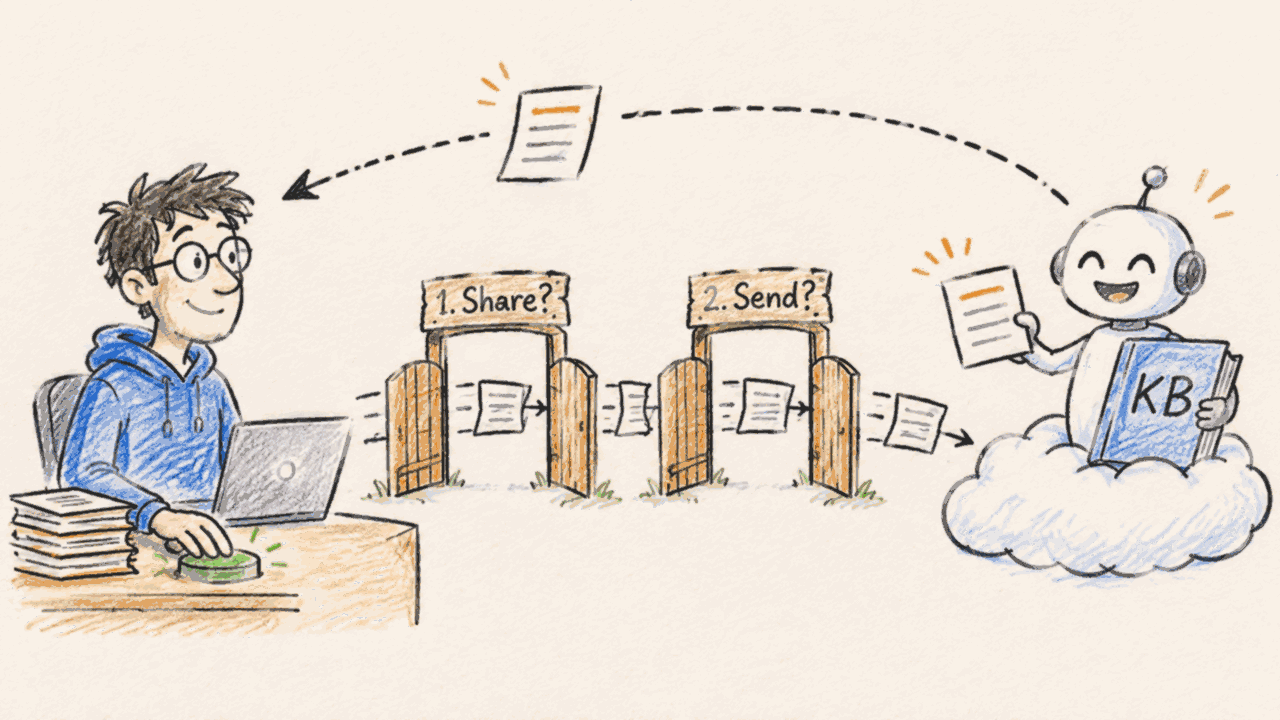
Every request with files goes through two approvals:
-
Per file. The prompt shows the file name, type and size. The file is kept as a short-lived snapshot in memory and leaves your machine only when the next call uses its attachment ID.
azure-resiliency-agent needs information.
Share this local file with the hosted Azure Resiliency Agent?

File: .../iac-review/variables.tf
Type: text/plain
Size: 1'395 bytes

Approval allows the local Azure MCP process to read the file and retain a short-lived in-memory
snapshot. The file is sent only when a later Azure Resiliency scenario call uses the returned
attachment ID.

Share this file:
Approve reading and preparing the exact file shown above.
❯ Yes
No -
Per request. The prompt shows the request text the agent wrote for the backend and the attachment IDs of the approved files.
Review and correct existing Terraform for resilience
{
  "request": "Review this Terraform root module for zonal resilience (availability zones).
Region is switzerlandnorth, provider is azurerm 4.x. The four attached files (main.tf,
variables.tf, versions.tf, servicegroup.tf) are one root module in the same folder. Correct the
Terraform while preserving resource addresses, variables, and provider constraints. Make only
the changes required for zonal resilience.",
  "attachment-ids": [
    "a88816df…", "37b1dd7c…", "62f506a0…", "69f9faea…"
  ]
}

Do you want to use this tool?
❯ 1. Yes
  2. Yes, and don't ask again for tool "Review and correct existing Terraform for resilience"
  3. No, and tell Copilot what to do differently (Esc to stop)
Read the request text. The agent rewrites your prompt for the backend, and this prompt shows what it actually sends.
After the review, the CLI asks again before each edit to a local file, with the diff. This third prompt comes from GitHub Copilot CLI itself, not from the plugin.
│ main.tf +1 -1                                                         │
│ 38 -   account_replication_type        = "LRS"                        │
│ 38 +   account_replication_type        = "ZRS" // Added for zonal ... │
│ Do you want to edit .../iac-review/main.tf?                           │
│ ❯ 1. Yes                                                              │
I chose Yes every time and never "don't ask again". Each prompt is a chance to stop.
What the agent uses to decide:
- Its knowledge base (KB). Every finding cites "the KB", for example "KB: zone redundancy is determined by ZRS-family replication". The progress log shows steps like "Consulting Microsoft Learn".
- The region from your code. It read
switzerlandnorthfrom the default value invariables.tf. - A list of what is zone resilient by the platform. It skipped Event Hubs, Key Vault and the service group as "region-managed / zone-redundant by platform". For Key Vault and Event Hubs that matches Learn: both are zone redundant automatically in a region with zones. A service group is a management construct, not a regional resource.
- Your answers. Before it changes anything, it shows a table of planned changes and asks. You can answer in your own words, and it plans again.
At the end of each answer, the backend returns suggested next steps, for example "Run local terraform init/validate" or "Check zonal resiliency for my service group".
The review: three runs, three answers
I used a copy of the Terraform from part 2 without my hint comments, four files, and the prompt from the Learn examples:
Review the Terraform in this folder for zonal resilience. The region is switzerlandnorth
and the provider is azurerm 4.x. Correct the Terraform while preserving resource
addresses, variables, and provider constraints. Make only the changes required for
zonal resilience.
I ran it three times. Same prompt, same files.
| Resource | Run A | Run B | Run C |
|---|---|---|---|
| Lake storage, LRS | ZRS | ZRS | ZRS |
| Function storage, LRS | ZRS, plus account_kind = "StorageV2" | ZRS | ZRS |
| Flex Consumption plan, zone redundancy off | "FC1 can't, consider Elastic Premium" | zone_balancing_enabled = true | not flagged |
| Databricks managed storage, LRS | Standard_ZRS | Standard_ZRS | Standard_ZRS |
The storage findings were stable. The function app was not:
- Run A was wrong. Flex Consumption supports zone redundancy, and Elastic Premium is not needed. It also added
account_kind = "StorageV2", which is already the default in azurerm 4.x. - Run B was right.
- Run C missed it. When I asked why, it said the flag is "not the authoritative gate" and wanted to set always-ready instances to 2.
Learn says otherwise. Without zone redundancy on the plan, the plan is nonzonal, even with ZRS storage. And the platform keeps two always-ready instances per scaling group by itself when zone redundancy is on. So I told the agent what to do:
Apply the three storage changes plus zone_balancing_enabled = true on
azurerm_service_plan.func. Do not add always_ready settings: the platform
maintains two always-ready instances per scale group when zone redundancy is enabled.
The same lesson as in part 2: give the agent context, and check what it says against the docs. Running the same review twice is a cheap test. If the answers differ, look closer.
Timeouts and a failed packaging step
The review did not run smoothly.
The first calls to the hosted agent timed out with McpError. The agent retried, but the attachments had expired in the meantime. It attached the files again, I approved them again, and the next call timed out too.
The agent stopped there and said so:
This agent doesn't fall back to a local assessment, so I won't review or edit
the Terraform myself.
That is the right behavior. A silent fallback to the general model would have looked the same and meant something else.
The retry later worked. Then the backend reported that its packaging step had failed. Packaging runs terraform init, fmt and validate in the backend. Its environment allows only the azurerm provider, and my module also uses azapi for the service group and random for a name suffix.
The backend offered three options:
- "Deliver files without packaging"
- "Allow provider-sanitizing edits"
- "I will run local validation"
Option 2 means: remove azapi and random so that the validation passes. The backend itself warned that this would remove the service group. A validator should check the code, not shape it. I took option 1.
Two more lines from the backend's status are worth reading:
Zonal-only change gate: ValidateZonalOnlyChangesAsync: Passed
Live Azure validate/what-if: Not run
The gate checks that the edits only touch zone settings. Nothing in the backend checks what the edits do to resources that already exist.
The diff looked clean, the plan did not
The agent wrote four lines to main.tf. Nothing else changed. is_hns_enabled, the variables and the provider constraints were all still there.
-  account_replication_type        = "LRS"
+  account_replication_type        = "ZRS" // Added for zonal resilience
   is_hns_enabled                  = true # hierarchical namespace = ADLS Gen2
...
-  zone_balancing_enabled = false
+  zone_balancing_enabled = true // Added for zonal resilience
...
-    storage_account_sku_name = "Standard_LRS"
+    storage_account_sku_name = "Standard_ZRS" // Added for zonal resilience
The only cosmetic issue: // comments in a file that uses #. Both are valid HCL.
Then I ran terraform plan against the deployed platform, read-only, from a copy of the root module:
  # azurerm_storage_account.lake must be replaced
      ~ account_replication_type = "LRS" -> "ZRS" # forces replacement
  # azurerm_storage_account.func must be replaced
      ~ account_replication_type = "LRS" -> "ZRS" # forces replacement
  # azurerm_service_plan.func must be replaced
      ~ zone_balancing_enabled   = false -> true  # forces replacement
  # azurerm_function_app_flex_consumption.ingest must be replaced
  # azurerm_storage_container.layers["bronze"] must be replaced
  ...
  # azurerm_databricks_workspace.platform will be updated in-place

Plan: 8 to add, 1 to change, 8 to destroy.
Only Databricks changes in place. Both storage accounts, all their containers, the Flex Consumption plan and the function app would be deleted and created again. For a data lake, deleted means the data is gone.
This is not the agent's mistake alone. The azurerm docs for account_replication_type say: changing it "forces a new resource to be created" when you move from LRS, GRS or RA-GRS to a zone-redundant type. For zone_balancing_enabled, the docs list the cases where enabling it works in place, and all other cases force a new resource.
Azure itself does not need that. A storage account converts from LRS to ZRS in place, also with hierarchical namespace, with a pause of less than 30 seconds. And Learn shows how to enable zone redundancy on an existing Flex Consumption plan, with a restart.
So the agent set the right target value, and the provider picked the destructive path to get there. The agent did not warn about it, because it never ran a plan.
Back to part 2
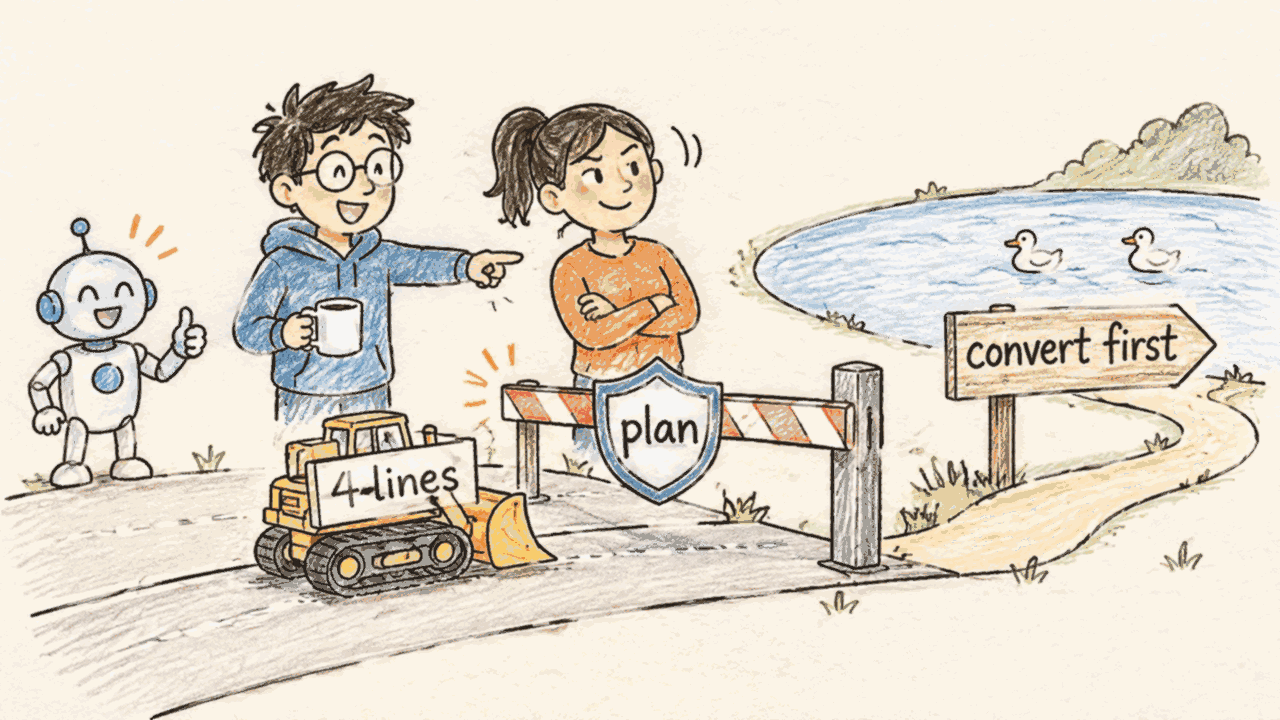
In part 2 the portal agent suggested a new ZRS account and a data copy. I wrote that the better change is one line in the existing resource, and added: "Run terraform plan first and check whether your provider version converts in place or wants to replace the account."
Now I have the answer. azurerm 4.81.0 replaces it. Both agents end with a new account. The portal agent said so openly. The Terraform diff hides it until you run the plan.
Two pipeline patterns that keep the lake
Tom's rule still holds: no fix directly on the resource. Both patterns run through the pipeline.
Pattern 1: convert first, then change the code
Add the conversion as a pipeline step, wait until it is done, then change the code.
# Step 1: start the conversion (pipeline job, runs once)
az storage account migration start \
  --account-name <lake-storage-account> \
  --resource-group <resource-group> \
  --sku Standard_ZRS \
  --no-wait

# Step 2: check until the status is "Completed"
az storage account migration show \
  --account-name <lake-storage-account> \
  --resource-group <resource-group> \
  --name "default"
After the conversion, change account_replication_type to "ZRS" in the same pull request or a follow-up one.
Terraform reads the real state, sees ZRS on both sides and plans no change.
Plan the time. A conversion typically begins within 72 hours, and there is no SLA for completion. After it, you must wait 24 hours before the next redundancy change. This is a change for a planned window, not for a Friday afternoon.
Not every replace hurts the same. Sort the plan's replacements by what they hold:
- Compute, like the Flex Consumption plan and the function app: they hold no data. If your pipeline deploys the app code again, a replace can be acceptable. Expect a short outage while the resources are deleted and created again.
- Storage with state: the lake holds your data. The function's host storage holds the Event Hubs trigger checkpoints. A new account means the function starts from a new position and may process events again. Convert these first.
Pattern 2: let the plan fail instead of replacing
Protect the resources you can't afford to lose:
resource "azurerm_storage_account" "lake" {
  # ... unchanged ...

  lifecycle {
    prevent_destroy = true
  }
}
I added this to the lake and ran the plan again with the agent's changes:
Error: Instance cannot be destroyed

Resource azurerm_storage_account.lake has lifecycle.prevent_destroy set, but
the plan calls for this resource to be destroyed.
The pipeline stops, and a person has to decide. That is what you want for a data lake, whether the change comes from an agent or a colleague.
What it cost
GitHub Copilot CLI shows the AI Credits (AIC) used per session. The session log in ~/.copilot/session-state/<session-id>/events.jsonl records every model call with its tokens, so you can see where the credits go.
| Step | AI Credits |
|---|---|
| "What can you do in this plugin?" One model call, no tool | 10.03 |
| Review with timeouts and re-attached files | +29.38 |
| Retry until the files were written | +33.72 |
| Session total | 73.13 |
Two things drive the cost:
- The base context is large. The first call already sends about 37,800 input tokens: the system prompt, the agent's instructions and the tool definitions. That is why a simple question costs 10 credits.
- The prompt cache expires while you work. The session log shows a cache lifetime of 300 seconds (
cacheTtlSeconds: 300) for every call. A call to the hosted agent stays open while the backend works and while you read, check and answer its questions. After that, the next model call writes the whole context of 44,000 to 53,000 tokens into the cache again.
Don't read this as "answer faster". The time you spend comparing the findings with Learn is the point. The agent is an AI and it makes mistakes, as the three runs showed. Plan for the extra credits instead of skipping the check.
The files themselves are cheap. Their content goes to the hosted agent, not through the Copilot model. The hosted agent's own work does not show up in these numbers.
I ran the CLI with Claude Sonnet 5.5 as its model. That model reads the files, calls the tools and writes the answers, and the AI Credits are counted for it. With another model in the CLI, the numbers will differ. The hosted agent in Azure uses its own model, and the CLI does not show which one.
Lessons learned
Yes, I would use it. Like any AI tool, I treat its output with care, because it makes mistakes. And I would try it on a non-production environment first, so that a wrong change doesn't hurt right away.
- Use it as a reviewer with a good checklist. It found the right storage gaps every time and kept my resource addresses, variables and provider constraints.
- Check before you trust. Treat each finding as a claim to verify against Learn. Disagreement between runs is the signal to look closer.
- Look up the attribute, not only the value. Before you accept a zone change, check in the provider docs whether that attribute forces a new resource.
This was the last part of the series. The agent will change while it is in preview, and I will retest when the plugin can run a plan.
References
- Use Azure Resiliency Agent in GitHub Copilot (limited preview)
- Transparency FAQ for Azure Copilot Resiliency Agent
- Change how a storage account is replicated
- Reliability in Azure Functions, Flex Consumption
- Configure zone redundancy for Azure Functions
- azurerm_storage_account, azurerm provider 4.81.0
- azurerm_service_plan, azurerm provider 4.81.0