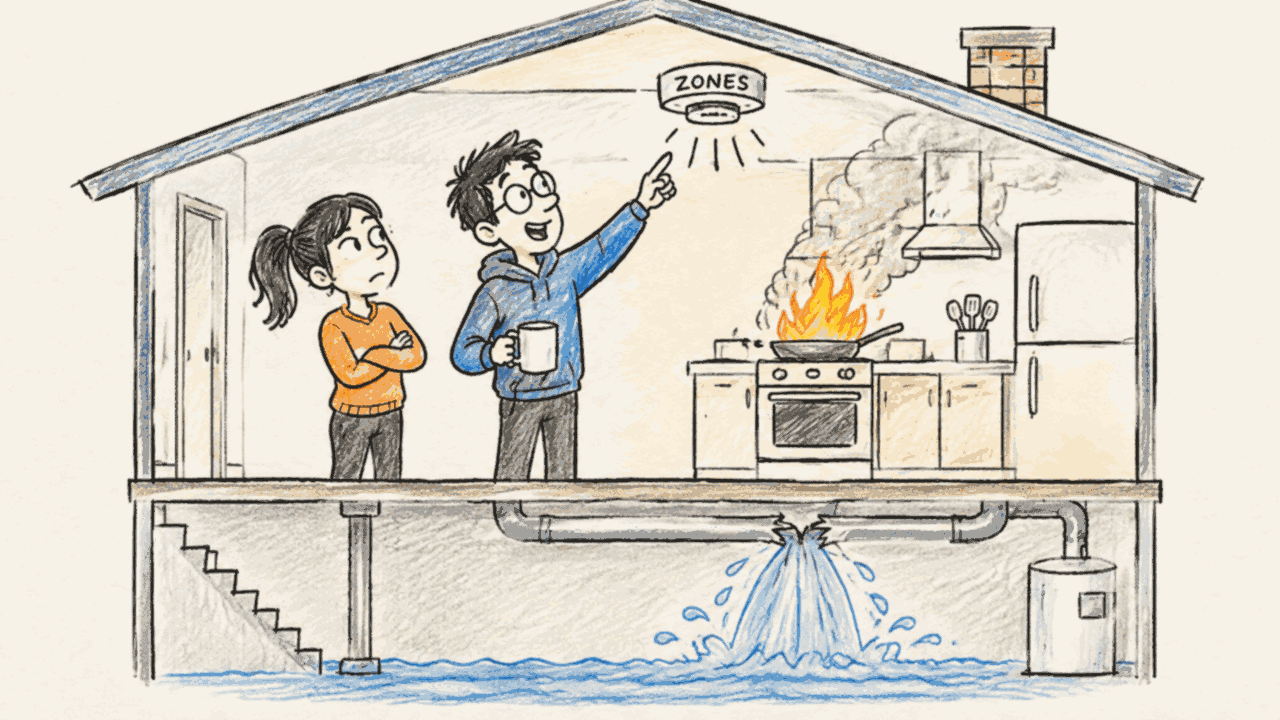
Azure Resiliency Agent for data platforms (1/3): what it is and where it stops

"We need the data platform to be resilient," says the head of BI.
Tom nods. Then he asks: "Resilient against what?"
Silence.
Every platform team gets this request at some point. Usually right after an outage somewhere else. The request is fair: the head of BI is the one who has to show reports to the business, and those reports have to be there when people need them. Microsoft now offers help: the Azure Copilot Resiliency Agent, in public preview as of October 30, 2026. Before I let it loose on a platform, I want to know what it is, what it covers and where it stops. Tom is fictional. The question is not.
- The agent covers one kind of resilience: surviving the loss of an availability zone. Nothing else in the current preview.
- It is a chat front end for Infrastructure Resiliency Manager. It finds non zone-resilient resources, explains the fix and generates code. For some resource types it applies the fix after you confirm.
- It works with your permissions and reads Azure Resource Graph. Its answers are only as good as that metadata.
- A zone goal is a checklist per service group, not a recovery time objective.
- It does not tell you what "resilient enough" means for your platform. That decision stays with you.
- What it is and where it stops (this post)
- Tested on a fragile data platform
- Resilience as code in the terminal
In this post you will see:
- What resilience means before you open any tool
- What the agent is, how it works and where it fits
- What you need before you can use it
Resilient against what?
Resilience is the ability of your platform to keep delivering value when something breaks.
The Reliability pillar of the Azure Well-Architected Framework asks you to start with the business. Its design review checklist begins with that (RE:01 to RE:04): which flows are critical, how long can they be down, how much data can you lose. Only then do you pick technical measures.
For a data platform the failure modes are many:
- an availability zone goes down
- a whole region goes down
- an upstream system sends garbage for three days
- someone drops a table in production
- a pipeline silently stops and nobody notices
Barry O'Reilly's Residuality Theory gives a useful way to think about this. Instead of predicting every failure, you throw stressors at your architecture and look at what is left. What remains after a stressor is a "residue". You design so that the residues still make sense for the business.
Not every part of the platform needs the same answer. The ingestion path that feeds the morning reports might need to survive a zone loss. A sandbox for data scientists probably does not. So the first step is to find the flows and components that carry a real requirement, and to group them. In Azure, that group is a service group. The agent works on these groups.
Resilience is a business decision. It is a trade-off between the damage an outage can cause and what it costs to build and run a more resilient platform. The technical settings follow from that decision, not the other way around.
Keep the list of failure modes in mind. It shows where the agent helps and where it does not.
A chat front end for Infrastructure Resiliency Manager
The agent is a chat front end in Azure Copilot for Infrastructure Resiliency Manager.
That name confused me at first. Infrastructure Resiliency Manager is not a hidden backend that only Microsoft uses. It is the portal experience you can use yourself, without the agent: open a service group and you find Goals and recommendations, Drills, Recovery plans and Usage plans under Resiliency. The agent does the same tasks through chat, and adds discovery, explanations and generated code.
It covers three journeys that follow the life of a platform:
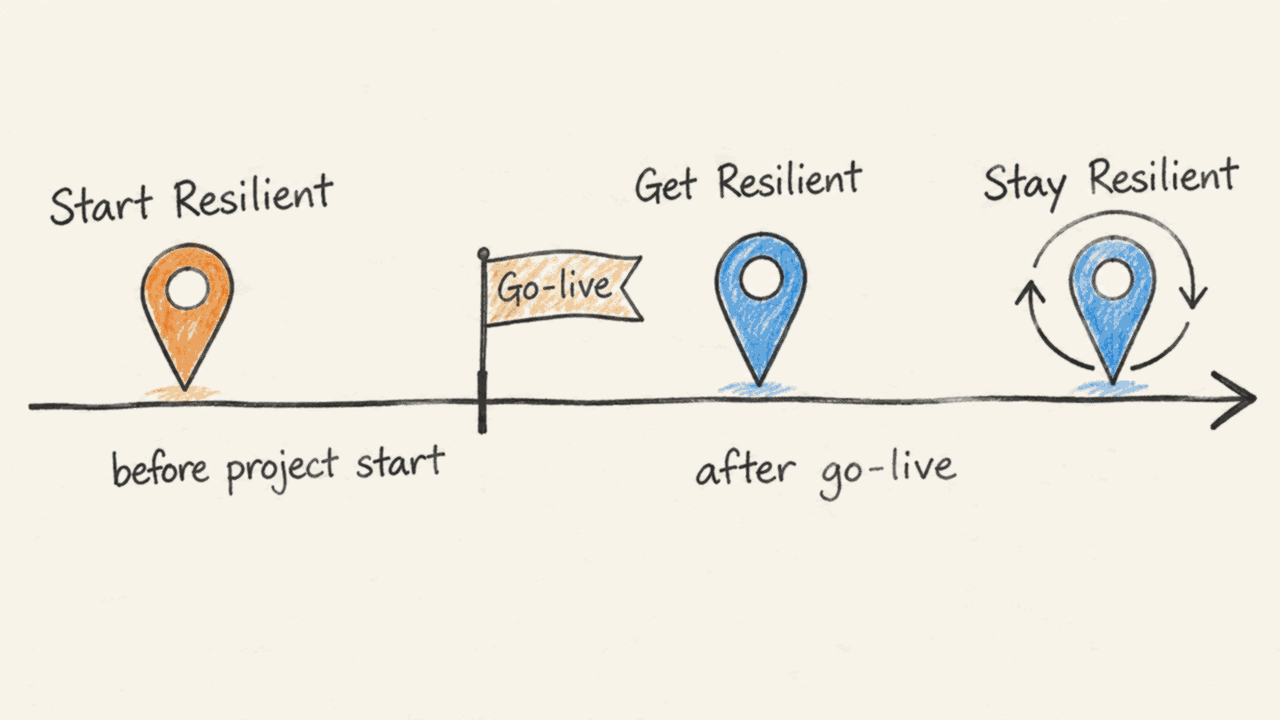
- Start Resilient, before deployment: review the design or IaC and generate resilient templates.
- Get Resilient, on a running platform: discover, assess, set goals and fix gaps.
- Stay Resilient, after every change: reassess, prepare drills and recovery plans. A new change or requirement sends you back to Get Resilient.
The loop matters for a data platform. Resilience requirements often arrive after go-live, when the platform has become important. Get Resilient is where most existing platforms start.
What the agent says it can and cannot do
I asked the agent in German what it can do, what it cannot do yet and what is coming. The agent is primarily designed and evaluated for English, but the answer was fine.
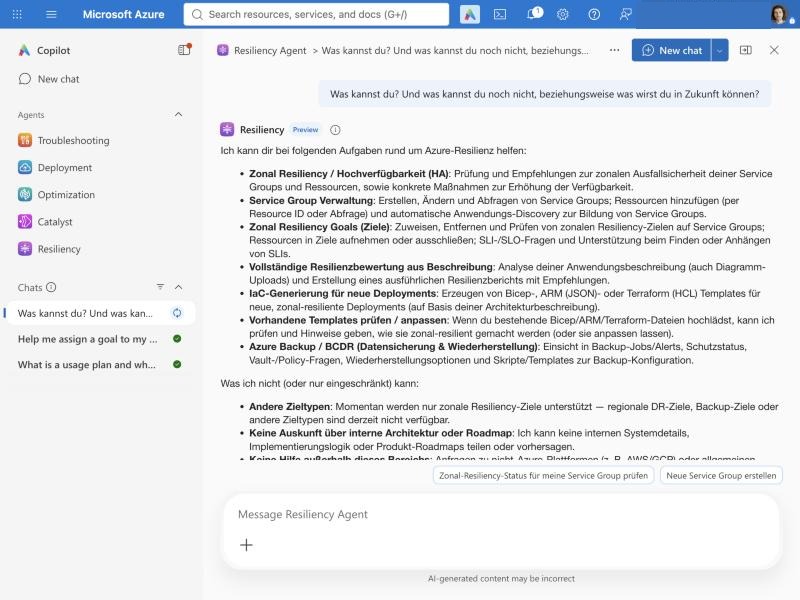
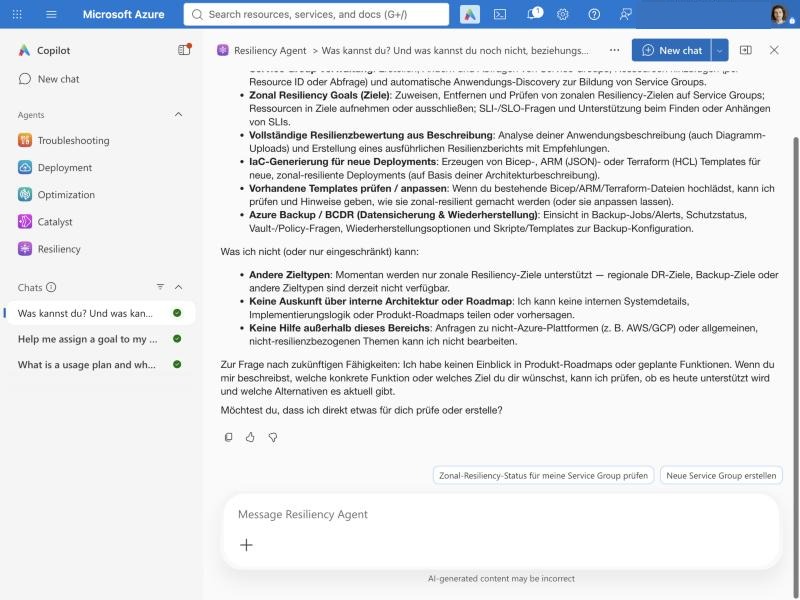
The answers cover zone resilience checks, service groups, zone goals, assessments from a description or a diagram, infrastructure as code (IaC) for new deployments, reviews of existing templates and Azure Backup. What it cannot do: other goal types such as regional disaster recovery or backup goals. About the future it said only that it has no insight into product roadmaps.
I compared this with the list in the transparency FAQ. They match, with two differences:
- The agent did not mention drills and recovery plans, which the FAQ lists. It does help to prepare them, as the usage guide shows.
- The agent mentioned Azure Backup, which the FAQ does not list. Backup help is documented separately in Manage data resilience by using the Resiliency agent.
Then I asked whether it can help me capture resilience requirements such as recovery time objective (RTO), recovery point objective (RPO) and critical data flows, or whether I need another tool.
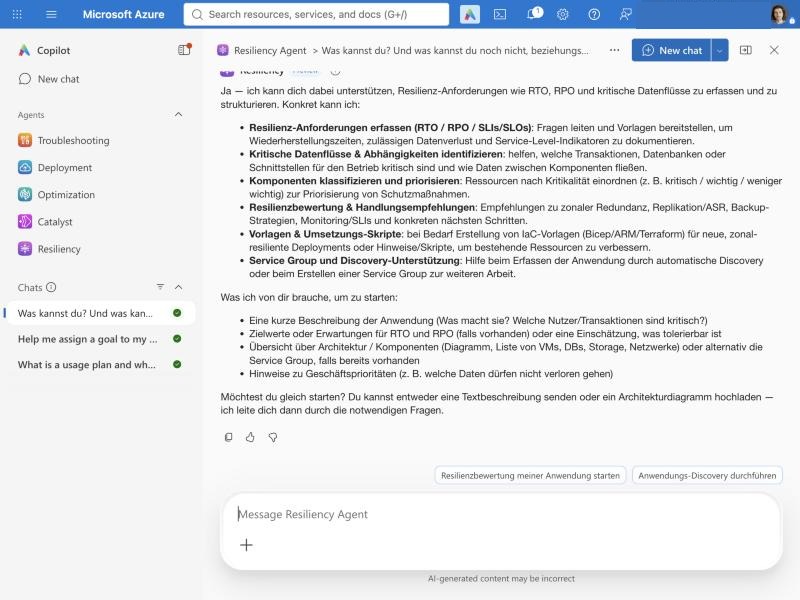
It offered to guide me through the questions and to classify components by criticality. The guided questions help with the conversation. But the only goal it can store and track is still the zone goal. Your RTO and RPO live in your own documents.
Who it is for and what it is not
The FAQ names cloud administrators, infrastructure teams, developers and site reliability engineers. They use it as decision support to design new applications, assess existing ones, prioritize gaps, plan fixes, track goal compliance and prepare drills.
"Track goal compliance" sounds bigger than it is. Compliance here means one thing: how many resources in a service group meet the zone goal. It is not a regulatory compliance report.
The most important sentence in the FAQ says the agent "isn't intended to replace architecture reviews, testing, organizational change controls, or human judgment."
What goes in and what comes out
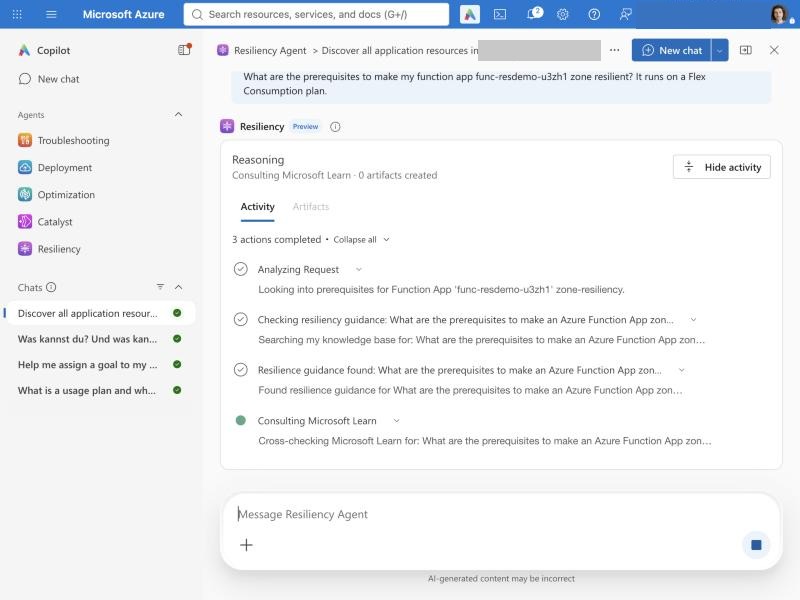
The FAQ and the agent's activity log show what goes in and what comes out. In my tests the agent showed its steps: Azure Resource Graph queries, "Searching my knowledge base" and "Consulting Microsoft Learn".
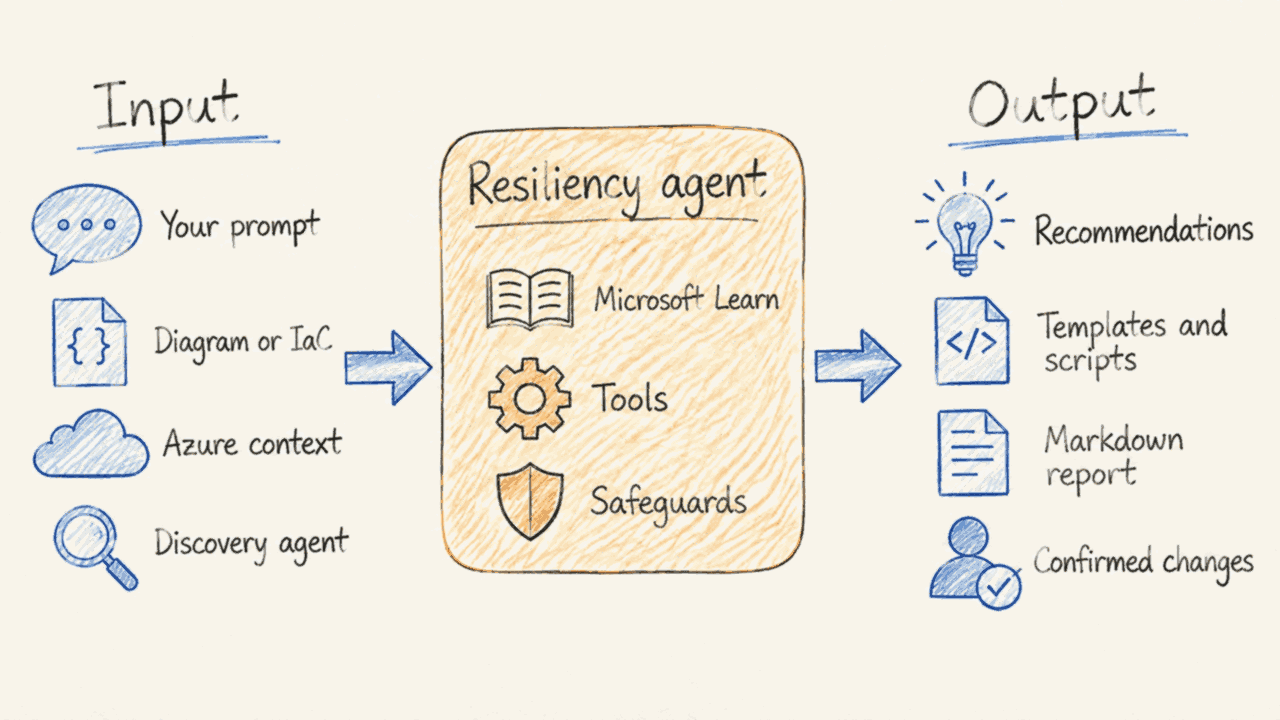
- Azure context means Azure Resource Manager (ARM) and Azure Resource Graph, read with your permissions.
- Safeguards come from the platform, the agent's instructions and you: the agent changes supported resources only after you confirm.
- Templates and scripts come as Terraform, Bicep, ARM templates, Azure CLI or PowerShell. The service does not store the Markdown report.
Three things follow from this:
- The agent acts as you. It works in your security context. It cannot see or change what you cannot. The only exception is the discovery agent, which reads with its own managed identity.
- It is only as good as the metadata. Results depend on ARM and Azure Resource Graph. Stale data means wrong answers. Part 2 shows an example.
- The value is the context. A general chat assistant can also compare your setup with the docs. This agent already knows your service group, your resources and the detected zone solutions, and it has tools to act on them.
The FAQ also describes how Microsoft evaluated the agent: whether it routes to the right capability, picks the right tools with complete arguments, avoids unnecessary actions and gives clear guidance. Part 2 shows where the guidance fell short. The FAQ asks for such findings through the thumbs-down control in Azure Copilot.
Where it stops
So of the five failure modes above, the agent covers one. Region outages, bad data, human error and silent pipeline failures are out of scope. That is not a flaw. It is a scope. But you should know it before you tell your stakeholders "we use the resiliency agent".
The known limitations are worth reading in full. For a data platform these stand out:
- Zone scope only. No disaster recovery, backup, cyber recovery or regional resilience assessment in the zone workflows.
- Not every resource type is supported. Check the supported resource types and detected solutions. Key Vault and Azure Databricks are not on the list.
- Discovery proposes, you decide. Proposed application boundaries need review. Discovery does not find recovery dependencies or recovery order.
- No drills, no failover. The agent prepares drills and recovery plans. You start them in the portal. It does not create runbooks, service level indicators (SLIs) or health models.
Goals are a zone checklist, not a resilience target
The word "goal" made me expect something like an RTO or an availability target. It is simpler. The current release supports one goal type: zone resilience.
You assign it to a service group. The wizard is short: it explains zone resilience and offers one button.
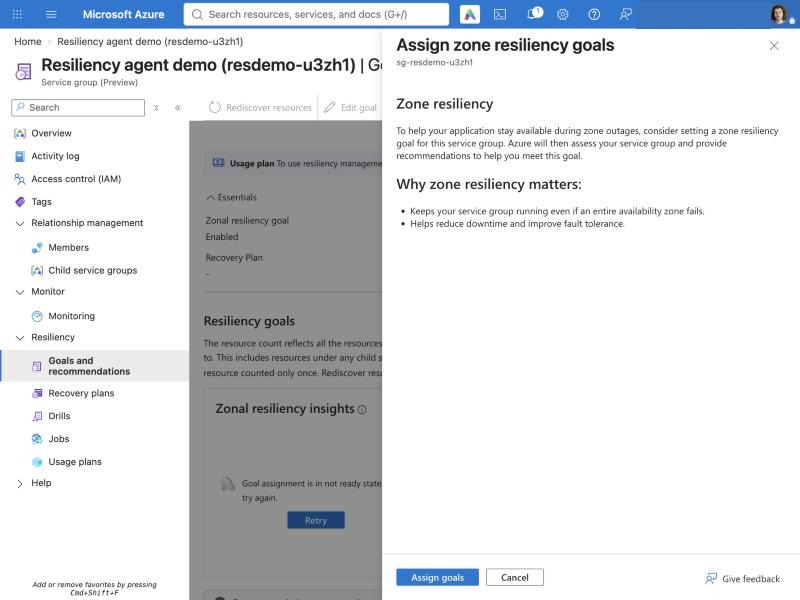
Azure then marks each resource as:
- Zone resilient: a recommended zone solution is detected, or you attested your own
- Non zone-resilient: no zone solution detected
- Not evaluated: excluded or not supported
You can exclude resources that do not need zone resilience, or attest a custom solution the service cannot detect. Assigning a goal changes nothing on your resources. It only evaluates.
So a green goal means: every supported resource has a zone solution. It does not mean the platform meets your RTO.
Prerequisites: access, permissions and a service group
- Access to the agent. For most tenants Azure Copilot agents are on by default. In my tenant I did nothing: "Resiliency" was in the agent list. A Global Administrator can turn single agents on or off. If you do not see it, ask them.
- Your own permissions. The agent does not replace Azure role-based access control (RBAC). It can only do what you are allowed to do.
- A service group. Service groups bundle the resources of one application, across resource groups and subscriptions. Creating one needs Service Group Contributor. Goals support up to 500 resources per service group.
- Optional: a discovery agent. If you do not know which resources belong together, the agent can discover them and propose boundaries. This needs a separate Azure resource, the discovery agent, with a system-assigned managed identity that has Reader on the subscription or resource group.
For a data platform team, the service group is the interesting part. Your platform is rarely one resource group. How I would cut it, per platform layer and per critical flow, is in my post on Azure Service Groups for data platforms.
Next: a fragile data platform
You now know what the agent covers: one failure mode out of five, the zone. In part 2 I put it on a small, deliberately fragile data platform. What does it find, what does it get wrong, and what do drills cost?