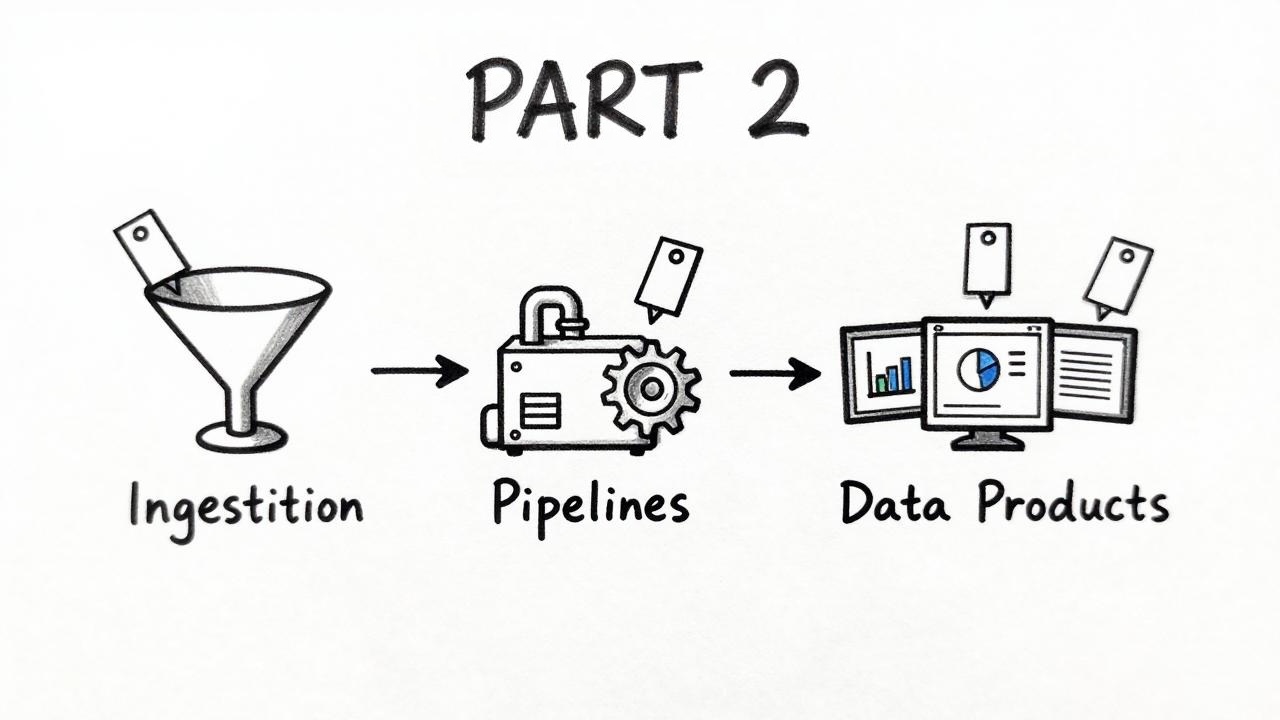
Azure tagging strategy, part 2: from alert to ticket with Terraform and ITSM tags

When something breaks on a data platform, the first question is which service is affected and who owns it. This is part 2 of 3. It shows how we answer that with tags: three itsm-* tags that mirror the ITSM (IT service management) service tree, plus env, managed-by and data-product, all generated by one Terraform module. It builds on the decisions from part 1.
- Keep the set small, mandatory and enforced. Every tag needs a reader. Ours are six, each with a named reader: three
itsm-*tags route incidents,data-productattributes cost,envsplits prod from non-prod cost, andmanaged-byexposes click-ops. All are generated and audited. - Generate tags in a central Terraform module, including
managed-byfor everything IaC creates. Azure Policy audits; it isn't the source. - Mirror your ITSM service tree in tags, so they route incidents. Don't reuse ITSM tags for cost: a shared Databricks workspace has one ITSM service but many products.
- One product, one spelling, everywhere. The module emits the
data-productslug once; Azure resources and Databricks jobs reuse the same key and value.
- Part 1: what to tag, what not, and where tags can live
- Part 2: from alert to ticket with Terraform and ITSM tags (this post)
- Part 3: cost per data product on Databricks and Fabric
Goal: from alert to the right ticket queue
Our main driver wasn't cost, it was operations. When something breaks, the ITSM tool must immediately show which service is affected, so that the ticket lands in the right queue with the right priority. ITSM tools model services as a tree, and we mirror that tree in three tags:
itsm-level-1: the platform per environment.itsm-level-2: one per data product. We derive it from the product, not the organisational unit: products are stable and own their incidents, org charts change.itsm-level-3: one per product and building block (storage, Databricks, Event Hub, ...).
These three tags answer "who gets the ticket?". env and managed-by answer lifecycle questions, and each has its own reader (see the table in Part 1).
The environment appears in five places: the name, env, and at the end of each itsm-* value. That isn't the Part 1 problem. Part 1 had three people typing three spellings. Here, one input (environment) produces all five values in one module, so they can't drift apart. Each copy also has a different reader. The itsm-* values must match the ITSM tool's configuration item names exactly, and DEV, INT and PRD are separate items there. env is the short, stable value that Cost Management groups by.
"Who pays?" needs a sixth tag, data-product, and it must stay separate from the ITSM tags. They describe who operates a resource, and that isn't always who uses it. Our shared Databricks workspace is operated by the platform team, so its itsm-level-2 names the platform, not a product. Those tags land on every cluster VM. If we grouped cost by itsm-level-2, all Databricks compute would be booked to the platform, whichever product's job ran.
data-product is a lowercase slug (sales-forecast) that the module derives from component. Every consumer takes it from the module output: Azure resources, Databricks job tags and compute policies. Cost Management and system.billing.usage therefore use the same key and value, so they can be joined. They don't measure the same thing, though: one shows invoiced CHF, the other shows DBUs. From DBUs to CHF adds them up.
Shared platform resources, the Databricks workspace among them, get no data-product tag. On the workspace it would land on every VM next to the job's own data-product, and Databricks doesn't document which value wins. What stays untagged in Cost Management is the shared platform cost, an explicit bucket instead of a wrong attribution.
No process of ours reads a cost center from Azure, so by our own rule there is no cost-center tag.
Anything a product team passes through additional_tags is optional and unenforced. It's allowed, but it isn't part of the strategy.
We follow the IaC + Policy (audit) option: every platform resource is deployed through Terraform and CI, so every tag change is a reviewed pull request and visible in the plan.
A central, reusable Terraform module
The module creates no resources and needs no providers. It's a pure function from a few inputs to complete tag maps, so it's trivial to test and safe to call anywhere.
- variables.tf
- main.tf
- Usage
- Expected output
variable "business_service" {
  type     = string
  nullable = false
  validation {
    condition     = contains(["Contoso Data Platform", "Contoso Integration Platform"], trimspace(var.business_service))
    error_message = "business_service must be an approved ITSM business service."
  }
}

variable "component" {
  type        = string
  description = "ITSM service component: the data product, or the platform component for shared resources."
  nullable    = false
  validation {
    condition     = can(regex("^[A-Za-z0-9 ]+$", trimspace(var.component)))
    error_message = "component must contain only letters, numbers and spaces."
  }
}

variable "shared" {
  type        = bool
  description = "True for platform resources used by several data products. Omits data-product."
  default     = false
  nullable    = false
}

variable "environment" {
  type     = string
  nullable = false
  validation {
    condition     = contains(["dev", "int", "prd"], lower(trimspace(var.environment)))
    error_message = "environment must be DEV, INT, or PRD."
  }
}

variable "additional_tags" {
  type     = map(string)
  default  = {}
  nullable = false
  validation {
    # Azure tag names are case-insensitive, so compare lower-case.
    condition = alltrue([
      for k in keys(var.additional_tags) :
      !contains(["itsm-level-1", "itsm-level-2", "itsm-level-3", "managed-by", "env", "data-product"], lower(k))
    ])
    error_message = "additional_tags must not override centrally managed tag keys."
  }
}
locals {
  env       = upper(trimspace(var.environment))
  service   = trimspace(var.business_service)
  component = trimspace(var.component)

  # One slug for Azure tags, Databricks tags and cost reports: "Sales Forecast" -> "sales-forecast"
  data_product = var.shared ? null : lower(join("-", split(" ", local.component)))
  # Building blocks known to the ITSM tool
  resource_types = {
    databricks      = "Databricks"
    event_hub       = "EventHub"
    key_vault       = "KeyVault"
    storage_account = "StorageAccount"
    azure_monitor   = "AzureMonitor"
  }

  # Child resources reuse the parent's level-3 value instead of creating new ones
  parent_mappings = {
    databricks_access_connector         = "databricks"
    monitor_action_group                = "azure_monitor"
    monitor_scheduled_query_rules_alert = "azure_monitor"
  }

  all_types = merge(local.resource_types, {
    for child, parent in local.parent_mappings : child => local.resource_types[parent]
  })

  common_tags = merge(var.additional_tags, {
    itsm-level-1 = "${local.service} ${local.env}"
    itsm-level-2 = "${local.service} ${local.component} ${local.env}"
    managed-by   = "terraform"
    env          = lower(local.env)
  }, { for k, v in { data-product = local.data_product } : k => v if !var.shared })

  tags_by_resource_type = {
    for key, block in local.all_types :
    key => merge(local.common_tags, {
      itsm-level-3 = "${local.service} ${local.component} ${block} ${local.env}"
    })
  }
}

output "tags_by_resource_type" { value = local.tags_by_resource_type }
output "common_tags" { value = local.common_tags }
output "data_product" { value = local.data_product }
module "tags" {
  source = "github.com/contoso/platform-terraform-modules//modules/platform-tags?ref=platform-tags-v1.0.0"

  business_service = "Contoso Data Platform"
  component        = "Sales Forecast"
  environment      = var.environment
}

resource "azurerm_storage_account" "landing" {
  # ...
  tags = module.tags.tags_by_resource_type.storage_account
}

resource "azurerm_monitor_scheduled_query_rules_alert_v2" "latency" {
  # ...
  tags = module.tags.tags_by_resource_type.monitor_scheduled_query_rules_alert
}

# Same slug on Databricks job compute in the shared workspace
resource "databricks_job" "silver" {
  # ...
  tags = {
    "data-product" = module.tags.data_product
    layer          = "silver"
  }
}
The platform repo deploys the shared workspace with component = "Shared Databricks" and shared = true. ITSM routes workspace incidents to the platform team, and the workspace carries no data-product.
terraform console → module.tags.tags_by_resource_type.storage_account, with environment = "prd":
{
  "data-product" = "sales-forecast"
  "env"          = "prd"
  "itsm-level-1" = "Contoso Data Platform PRD"
  "itsm-level-2" = "Contoso Data Platform Sales Forecast PRD"
  "itsm-level-3" = "Contoso Data Platform Sales Forecast StorageAccount PRD"
  "managed-by"   = "terraform"
}
The alert rule resolves to its parent building block:
{
  # ... same common tags ...
  "itsm-level-3" = "Contoso Data Platform Sales Forecast AzureMonitor PRD"
}
Pitfalls from practice
- The ITSM tree must exist first. A tag pointing to an entry that doesn't exist in the ITSM tool is worse than no tag, because tickets silently fall through.
- Validate inputs aggressively. A typo in
business_serviceproduces a valid tag that matches nothing. The allow-list catches it atterraform plantime. - Reserve central keys. Without the
additional_tagsguard, a product team overridesitsm-level-3"just for this one resource", and the hierarchy breaks. - Map children to parents. Action groups, alert rules and access connectors shouldn't create their own
itsm-level-3values. Explicit parent mappings stop the ITSM tree from exploding. - No ITSM tags on resource groups. They aren't operated assets, and tagging them creates noise in ITSM discovery. The
Indexedpolicy mode ignores them anyway. - Don't reuse operations tags for cost.
itsm-level-2says who operates a resource,data-productsays who uses it. They differ for every shared resource. - Spell the product once. If one team types
Sales Forecastand anothersalesforecast, Cost Management shows two products. Derive the slug in the module and pass the output on; never type it by hand.
Next: cost per data product
Part 3 covers Databricks and Microsoft Fabric, which bring their own tag systems, and shows how to turn data-product into one CHF figure per product. Continue with part 3.
Further Readings
- Microsoft Learn: Tag support for Azure resources
- Microsoft Learn: Assign policy definitions for tag compliance
- Microsoft Learn: Azure Policy definition structure basics (mode)